
The content OS for creators
Stay in your CreatorFlo.
Never wonder what to post again. Find the videos already winning in your niche, turn them into your own ideas, then script, film and publish — all from one workspace built for creators.
LIVE DEMO — a simplified version of the app · save an outlier, hit Recreate, drag a card, click one to script
The problem
Content creation shouldn't feel chaotic.
Research in one tool, inspiration in another, scripts in a third, planning in a fourth — a stack of subscriptions, and still no clue what's actually ready to post.
↓
 One workspace. From research to published.
Everything you need
From research to published, without leaving the page.
Research
Find the outliers before you film.
Add the channels you study and CreatorFlo pulls their recent uploads and all-time hits into one wall — then flags every video that beat that channel's normal. The outlier research creators pay vidIQ, TubeBuddy or 1of10 for every month, built into the same app as your pipeline.
- Outliers flagged at 1.5×, 3× and 10× the channel's typical views
- Trending sort: views per hour, right now
- Long-form and Shorts scored separately, so nothing hides
- No autoplay, no recommendations — no YouTube rabbit hole
 🔥 23×22:10
I tracked every dollar for a year
 3.4× · new11:02
$100 a day side hustle (honest results)
 🔥 17×SHORT
Your budget is lying to you
 5.3×15:30
The money mistake nobody talks about
 13:44
13:44Rent vs buy in 2026
 18:20
18:20I asked 100 millionaires one question
Inspiration
A swipe file that turns into videos.
Every video worth stealing from — competitors' outliers, packaging you love, formats you want to try — saved in one place and tagged so you can actually find it again. When one clicks, hit Recreate and it becomes a card in your pipeline with the original pinned as its reference.
- Paste a link, or import a whole playlist at once
- Tag for packaging: big face, before/after, curiosity gap…
- One click from "that's a banger" to a card in your pipeline
- Pull any saved video into a card as a reference
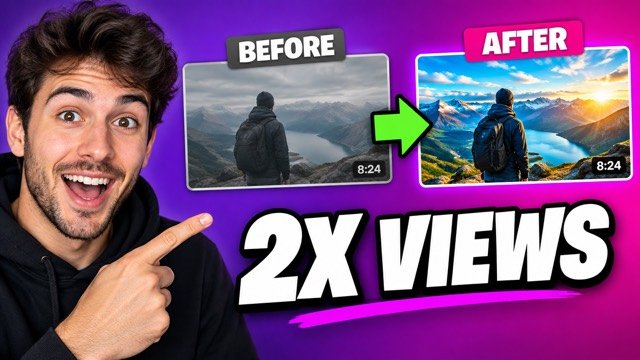 14:30
14:30Thumbnails that doubled my views
↻ Recreate this video SHORT
SHORTStop posting every day
↻ Recreate this video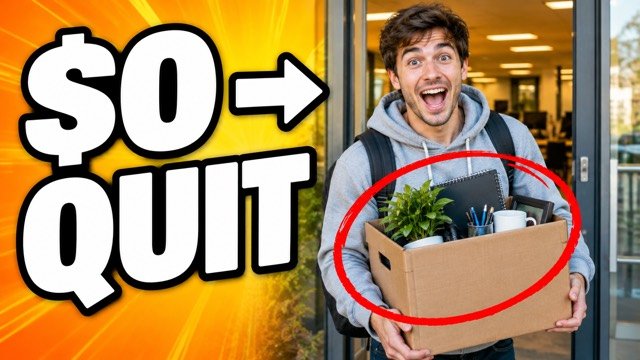 17:42
17:42I quit my 9–5 with a $0 audience
↻ Recreate this videoScript
Script faster.
Every card opens to the right template for its format, with the video you're recreating pinned at the top and a library of viral hook formulas, hook angles, and interest peaks one click away while you write.
- Visual hook + script sections per format
- Hook → Build Up → Value → Resolution → CTA → Loop Back
- Reference videos, thumbnails and images live in the card
- Works with Claude & ChatGPT — let your AI read boards and draft into cards
Visual Hook
Summarize in 3–7 key words · at least one POWER word · graphic that previews value
My Script ✍️
Hook → Build Up → Value → Resolution → CTA → Loop Back
Short Form · Reference Library
Viral Script Formula
Viral Hook Formulas
Call-out mistakes
· Stop doing [X] if you want [Y]
· The #1 mistake new [X] make
Hook Angles
Interest Peaks
Visual Hook — S.P.G.
Produce
Stay organized — with your whole team.
Every video moves across one board — Ideas, Up Next, Scripting, Filming, Editing, Ready for Posting. Drag a card forward and everyone knows exactly where it stands, live.
- Your own pipelines: rename, reorder and add steps
- Share a board with editors and assign cards to people
- Review tab: paste a cut, leave notes pinned to the exact second
- Unlimited brand profiles in one account
The muggle conversation: explaining my job at Thanksgiving
Millennial career crisis: the spreadsheet that made me quit
Why 'learn more' is keeping you broke (action > planning)
Publish
Know exactly what to work on next.
The Posting Schedule shows everything with a posting date, color-coded by production status. Drag a video onto a day to reschedule it — then open the app any morning and know what today is for.
- Month view of everything with a posting date
- Thumbnail options side by side — swap in a winner, download it for YouTube
- All Content table for the full bird's-eye view
How it works
One flow. Start to finish.
Set up your brand & research
Add your niche, your audience, the competitor channels you study, and the videos that inspire you. CreatorFlo flags what's outperforming and keeps it all in one swipe file — so you always have a steady flow of ideas worth making.
Recreate a winner & script it
Spot an outlier, hit Recreate, and it lands in your pipeline with the original pinned as its reference. Open the card to a ready-made script template with hooks, frameworks, and CTAs for that exact format.
Drag it to done
Move cards through scripting, filming, editing and review — solo or with your team — then drop them on the calendar. Open the app any morning and know exactly what today is for.
Pricing
One price. Yours forever.
No subscription, no "pro tier", no monthly research tool on top. Buy it once, research and create with it forever.
pay once · use forever
- Competitor research: outliers, views per hour, trending
- Inspiration library with one-click Recreate
- Every board, calendar & table view
- Script templates, hooks & CTA library
- Team sharing, assignees & video review notes
- Unlimited brand profiles, synced across your devices
- All future updates included
Instant access · works on desktop & mobile · teammates each use their own CreatorFlo
Already purchased? Log in to your workspace →
Stop creating in chaos.
Start creating in CreatorFlo.
Find what works, make it yours, and ship it — for $29, once.
Get CreatorFlo — $29 once